Soon after launching, you’re excited to see that you’re getting plenty of clicks… but there’s one caveat, no one is buying!
Does this sound familiar? The following guide will break down a range of tips and advice as to how you can reduce the bounce rate of your Shopify store!

Flickr – https://www.flickr.com/photos/opengridscheduler/37057648494
Table of Contents
High Bounce Rate
Shopify is a multinational company which allows businesses to grow by selling their items through online stores.
There are over half a million stores on the website and in 2018 alone, over £32 billion was spent on Shopify.
Keeping your bounce rate low is an essential part of having success on Shopify and in the e-commerce world in general.
A bounce rate is a measure of the number of single-page sessions divided by every session among site visitors.
In the context of Shopify, it is the percentage of people who visit your store before quickly leaving, without taking a look around.
They may depart because the homepage is running too slowly, the site is laid out poorly or your store is reaching the wrong audience.
As a Shopify store owner you want to keep your bounce rate as low as possible!
By keeping your audience captivated, they’re more likely to explore, check out the products you have on offer and ultimately, there’s a better chance they’ll make a purchase.
How to Find Bounce Rate on Shopify
You can find out what the bounce rate of your Shopify store is through Google Analytics. Here’s how you can install it:
- Register your store on Google.
- Get your tracking ID.
- Save it into Shopify’s preferences.
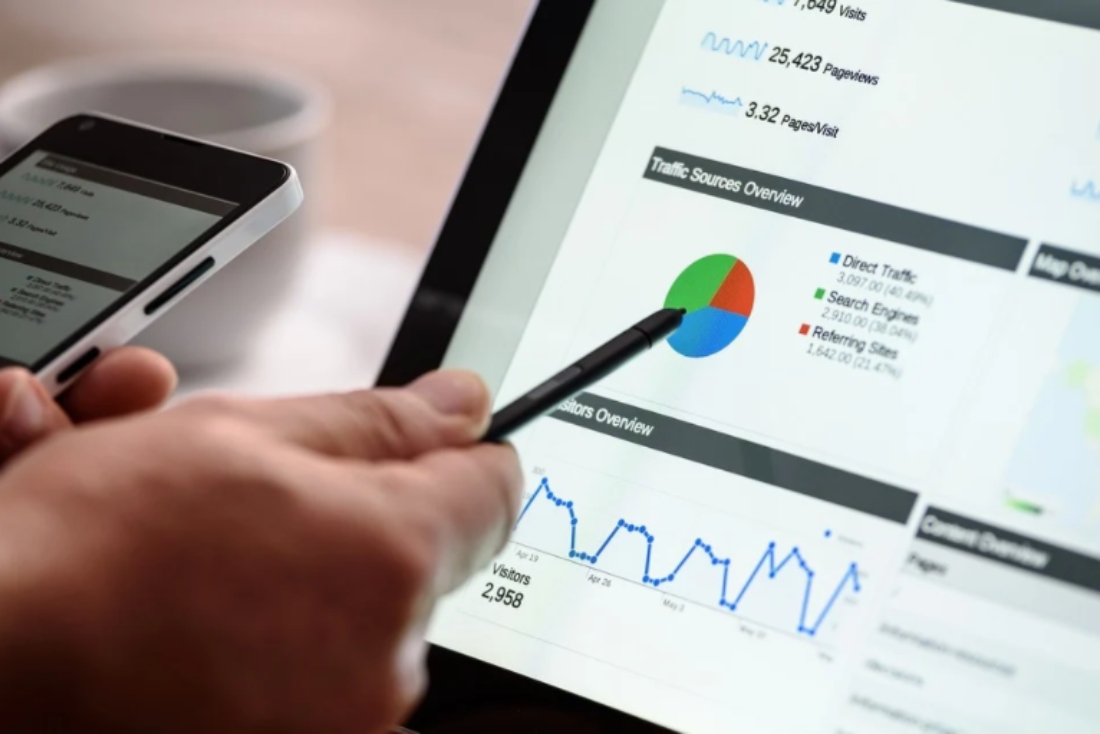
Once installed, you’ll be able to see a rundown of your site.
Here, it’s possible to review stats such as how long users spend on your Shopify store and what pages they use.
Aside from the direct downsides of people leaving your store fast, a high bounce rate also reduces your search engine results page or SERP ranking.
Pixabay – https://pixabay.com/photos/digital-marketing-seo-google-1725340/
How to Reduce Bounce Rate Shopify: Design & Speed
One of the most common reasons that people quickly bounce from any web content is due to a poor design.
First and foremost, you want to make sure that navigating your site is a great and user-friendly experience.
It’s important to ensure that your homepage is well-designed, navigable and acts as an orienteering point for visitors.
Here are several key steps you can take to improve site navigation:
- Make sure the navigation menu is visible.
- The menu should be labelled in a specific and understandable way.
- Include layered navigation and flyout menus.
- Position the navigation in traditional spots. For example, vertically along the left side of the page or horizontally across the top.
Navigating your site should be fast and easy. Ideally, it should load within 0.5 to 2 seconds.
Any longer and the risk increases significantly that a user will simply bounce.
That is except in the case of mobile devices for which users are willing to wait about 3 seconds.
Reduce Your Ecommerce Bounce Rate: Speeding Up Your Shopify Website
There are plenty of ways you can improve the speed of your Shopify website.
Here are some tips worth considering:
- Compress any image files. Use JPEG or JPG files to reduce image file size.
- Don’t have too many apps installed on your site.
- Reduce HTTP requests. There are many ways this can be done such as by combining & inlining your CSS scripts, combining all JavaScript, limiting how many social buttons are featured on your site and converting images to Base64 code.
- Use accelerated mobile pages (AMP) to optimise the speed of your store on mobile devices.
Bring Down High Bounce Rate: Key Design Features
When designing your Shopify store you need to keep in mind what you want the visitor to do once they’ve arrived.
Then, ask yourself, how easily they can achieve this.
Consider whether any of the steps involved in reaching this end point are unnecessary.
Some visitors will land on your homepage knowing exactly what they want, while others won’t.
You should design your homepage with both groups in mind while making sure that your design choices fit with your primary objectives (i.e. to sell, gain mailing subscribers, etc.).
In conclusion, with a thought-through approach to design, you can immediately reduce the bounce rate of your Shopify store!
The Power of SEO: How to Reduce Bounce Rate Shopify

Amitsurya – https://pixabay.com/ja/illustrations/%E3%82%BD-%E6%A4%9C%E7%B4%A2-%E3%82%A8%E3%83%B3%E3%82%B8%E3%83%B3-%E6%9C%80%E9%81%A9%E5%8C%96-4542300/
Search engine optimisation is a major factor in attracting the right users.
If your store appears or is being advertised on a search engine such that it is not reaching the right people, this could prove a big factor in a high bounce rate.
Keyword research can play a major role in maximising your site’s SEO value.
How to Reduce Bounce Rate Ecommerce: Keywords And How to Find Them
Simply put, SEO keywords are the words and phrases added to a website in order to maximise the chances of it being discovered by the right people.
Specific keywords should appear throughout your site based on what your ideal audience is most likely to search for.
Here’s how you can find the best keywords and phrases for your store’s content:
- Study your area (e.g. clothing retail, bakery, handicraft, etc.)
- Establish your goals.
- Create a list of topics that are relevant to your store.
- Create your own list of keywords.
- Use a high-quality keyword research tool.
- Try to understand the search or keyword intent of your preferred audience.
- Study your competitors.
Some great keyword research tools include Google Keyword Planner, Ahrefs and Keyword Tool.
When it comes to analysing your competitors, you should check which of your keywords and phrases are already featured among many other sites/stores similar to yours on search engines like Google.
You want to find the right balance between using the most valuable keywords and using ones with minimal competition.
Without a top keyword strategy, your SEO and PPC marketing could be contributing heavily toward your high bounce rate.
This is because the wrong people could be visiting your store, while the individuals who would love to spend on a store like yours, simply aren’t finding it.
This can be especially true if you’re working in a niche area. In addition, you want to know what the strong points of your store are and how your audience searches.
What Else Can I Do? Reducing a High Bounce Rate
If you run paid adverts, you should geo-target your audiences. That is to say, your ads should be localised.
For example, if you run a fashion Shopify store, in November you could set ad preferences to display winter clothes for countries based in the northern hemisphere.
At the same time, you could promote your summer wear in countries like South Africa, Australia and Brazil.
In addition, another way to keep new visitors interested is by mentioning free-delivery on the homepage, if applicable.
How to Make Money Online for Beginners
We hope you enjoyed our guide as to how you can reduce the bounce rate for your Shopify store in 2020!
Let us know in the comments below if you are experiencing issues with a bounce rate for your store. And if you’ve already taken any steps to fix this problem, how effective have they been?
Follow our blog for more e-commerce content! We explore topics such as the best accounting software, best alternatives to Yoast and a break down of the how to make money with ClickFunnels.
These articles can help you make money online. With the right steps and strategy including with our help, you can maximise the profit of your business!
Public Domain Pictures – https://www.publicdomainpictures.net/en/view-image.php?image=261382&picture=ecommerce-application-buy-card